Think back to your last identity audit. You probably had lists. Lists of privileged accounts. Lists of misconfigurations. Lists of findings to remediate. Yet according to the Identity Defined Security Alliance’s 2025 report, 91 percent of organizations experienced at least one identity-related incident in the past year. The audit passed. The breach happened anyway.
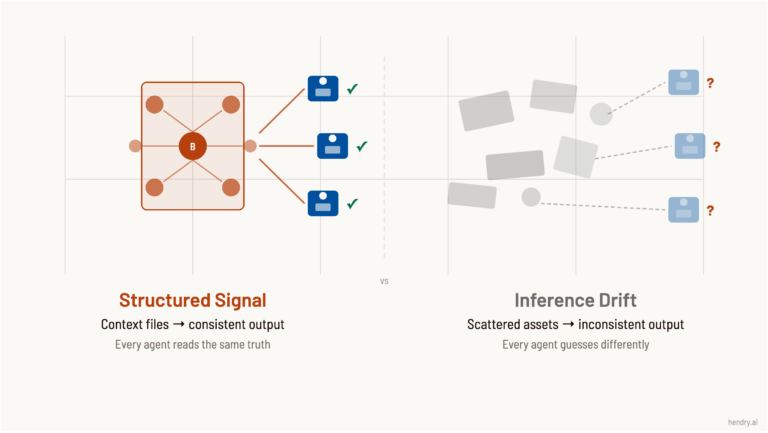
The problem is not effort. It is perspective. Traditional audits examine permissions in isolation. Attackers see relationships. They chain together seemingly low-risk access rights to reach your most critical assets. This post covers seven identity risks that most security audits overlook, and explains why graph-based analysis finds what list-based approaches miss.
“Defenders think in lists. Attackers think in graphs. As long as this is true, attackers win.”
John Lambert, Microsoft Threat Intelligence Center
1. Indirect Attack Paths Through Nested Groups (Best Tip)
Most audits check direct group memberships. Who belongs to Domain Admins? Who has write access to critical OUs? But attackers do not need direct membership. They need a path. Research shows that 100 percent of environments have an attack path to Tier Zero, with over 70 percent of users having at least one path to complete enterprise control.
The risk comes from nested relationships. A user belongs to Group A. Group A belongs to Group B. Group B has write access to a GPO that applies to Domain Controllers. None of these individual relationships look alarming. Together, they create a privilege escalation path that audits miss because they examine each permission separately.
Consider a real scenario. A help desk technician belongs to a support group. That support group was added to a software deployment group years ago for a one-time project. The deployment group has GenericWrite on certain computer objects. One of those computer objects is a jump server that administrators use. The technician, through this chain, can compromise the jump server and capture admin credentials. No single audit finding would flag this. Graph analysis would.
What to do: Map group memberships recursively across your entire environment. Identify users who can reach privileged accounts through any chain of relationships, not just direct membership. Focus remediation on chokepoints where fixing one misconfiguration eliminates thousands of paths.
2. Service Account Privilege Accumulation
Service accounts run critical applications, but years of configuration changes leave them with permissions far beyond what they need. According to joint guidance from CISA, NSA, and Five Eyes partners, organizations should implement strict controls on service accounts as they are prime targets for attackers seeking to escalate privileges and move laterally through environments.
The challenge is visibility. Service accounts cannot use MFA. Their passwords rarely rotate. When they do, teams skip rotation to avoid breaking production systems. According to Canadian Centre for Cyber Security guidance, organizations should ensure all service accounts are provided access based on the principle of least privilege, use managed service accounts where possible, and prevent service accounts from being used for interactive logons.
These accounts become attractive targets. An attacker who compromises a service account often gains persistent access that survives password resets for regular users. The account runs unattended, so unusual activity goes unnoticed. And because service accounts frequently have elevated permissions for their applications, compromising one can provide lateral movement opportunities across the environment.
Service Account Risk
Why Audits Miss It
Attack Technique Enabled
Kerberoastable SPNs
SPN presence checked, password strength not assessed
Offline credential cracking
Unconstrained delegation
Delegation setting exists, trust context not mapped
TGT theft and impersonation
Stale accounts with broad permissions
No usage monitoring in standard audits
Credential reuse attacks
Hard-coded credentials in scripts
Code repositories outside audit scope
Credential exposure
What to do: Discover all service accounts, including those created outside standard processes. Identify which accounts have SPNs that make them vulnerable to Kerberoasting. Map delegation rights to understand where compromised accounts can impersonate users.
3. ADCS Certificate Template Misconfigurations
Active Directory Certificate Services (ADCS) misconfigurations can give any authenticated user a path to Domain Admin. Mandiant highlighted that ADCS has become a prime target for attackers because misconfigurations are common and exploitation grants persistent access.
The most dangerous issues involve certificate templates that allow subject name specification combined with authentication EKUs. An attacker with enrollment rights can request a certificate for any user, including Domain Admins. BeyondTrust research notes these misconfigurations are easy to make due to the complex nature of ADCS, and they regularly find at least one ADCS issue in customer engagements.
ADCS attacks are particularly dangerous because certificates provide long-lived credentials. Even if you reset a compromised account’s password, an attacker with a valid certificate can continue authenticating. Security researchers have catalogued 16 distinct attack patterns, from ESC1 through ESC16, each exploiting different template or configuration weaknesses.
What to do: Audit certificate templates for ESC1 through ESC13 vulnerability patterns. Check which users have enrollment rights on templates that permit flexible subject names. Disable the “Enrollee Supplies Subject” flag where possible and require manager approval for sensitive templates.
4. Kerberos Delegation Abuse Paths
Kerberos delegation allows services to impersonate users when accessing other services. It is necessary for many applications. It is also dangerous when misconfigured. Horizon3.ai research shows that attackers can execute reconnaissance and credential access steps within minutes, before traditional detection kicks in.
Unconstrained delegation is the most severe risk. Any service with this setting can capture Kerberos tickets from connecting users and reuse them to access any resource in the domain. Constrained delegation limits target services but still enables impersonation if the configured services include sensitive systems.
Resource-Based Constrained Delegation (RBCD) introduced a new attack surface. Attackers who can modify the msDS-AllowedToActOnBehalfOfOtherIdentity attribute on a computer object can configure delegation to that system. Microsoft’s 2025 security guidance emphasizes implementing tiered administration and least privilege to limit delegation rights and administrative access.
What to do: Enumerate all delegation configurations. Identify unconstrained delegation outside Domain Controllers. Review constrained delegation targets for sensitive services. Consider RBCD for new implementations, but monitor for RBCD abuse paths as well.
5. Shadow Admin Accounts
Shadow admins are accounts that have administrative capabilities without direct membership in privileged groups. They gain power through ACL-based permissions like GenericAll, WriteDACL, or ownership of privileged objects. AD Security research documents how attackers chain these permissions to reach Domain Admin without ever being in the Domain Admins group.
Traditional audits check group membership. They often ignore object-level ACLs because the volume is overwhelming. A single Active Directory environment can have millions of access control entries. Without graph analysis, identifying which combinations create privilege escalation paths is nearly impossible.
The danger of shadow admins is stealth. Security teams focus on protecting known admin accounts. Shadow admins fly under the radar because they do not appear in the obvious privileged groups. An attacker who identifies a shadow admin path gains administrative access while evading the monitoring typically applied to Domain Admins and similar groups.
What to do: Map ACL-based permissions across all AD objects. Identify accounts with write access to privileged objects or the ability to modify group memberships. Pay special attention to permissions inherited through containers and organizational units.
6. Cross-Domain Trust Exploitation
Multi-domain and multi-forest environments multiply attack paths. Research from GBHackers shows that attackers exploit site-based ACLs and trust relationships to move between domains without triggering traditional security alerts. Even organizations with segmentation controls may remain vulnerable.
Forest trusts, external trusts, and parent-child relationships each introduce different risks. SID History attacks can bypass SID filtering under certain conditions. Trust misconfigurations can allow attackers to escalate from a compromised child domain to compromise the entire forest. The TrustedSec Golden gMSA research demonstrated new techniques for exploiting trust relationships through Group Managed Service Accounts.
Organizations often acquire companies or merge divisions without fully integrating identity infrastructure. These environments end up with trust relationships that made sense during the transition but create permanent attack paths. Audits rarely examine cross-domain paths with the same rigor applied to single-domain permissions.
What to do: Document all trust relationships and their configurations. Verify SID filtering is enabled on external trusts. Assess whether any accounts in trusted domains have excessive permissions in your environment. Map attack paths that cross trust boundaries.
7. Hybrid Identity Gaps Between AD and Entra ID
Most organizations now operate hybrid environments with on-premises Active Directory synchronized to Microsoft Entra ID (formerly Azure AD). This creates new attack surfaces. According to SpyCloud’s 2025 Identity Threat Report, 85 percent of organizations were affected by ransomware in the past year, and hybrid environments often have inconsistent security controls between on-prem and cloud.
The risks include password hash synchronization exposures, Azure AD Connect server compromise, and Conditional Access policy gaps. An attacker who compromises an on-prem account may find that the same credentials work in cloud applications. Separate audit processes for AD and Entra ID often miss these connection points.
Azure AD Connect servers deserve special attention. These systems have the permissions to read password hashes from AD and write them to the cloud. Microsoft security guidance recommends treating these servers as Tier 0 assets, yet many organizations leave them with standard server protections.
What to do: Map identity synchronization flows. Identify which on-prem accounts sync to cloud and what permissions they have in both environments. Harden Azure AD Connect servers as Tier 0 assets. Ensure Conditional Access policies apply consistently across access methods.
The Audit Gap Summarized
The common thread across all seven risks is that they involve relationships, not just configurations. Traditional audits check settings in isolation. Attackers find paths that connect those settings.
Risk Category
What Audits Check
What Attackers Exploit
Nested groups
Direct membership
Transitive paths to privilege
Service accounts
Account existence
Accumulated permissions over time
ADCS templates
Template settings individually
Combinations enabling impersonation
Kerberos delegation
Delegation enabled flag
Impersonation scope and targets
Shadow admins
Privileged group membership
ACL-based control chains
Trust relationships
Trust existence
Cross-boundary privilege paths
Hybrid identity
AD and cloud separately
Connection points between environments
Closing the Gap
The statistics are clear. Cisco Talos reports that identity-based attacks accounted for 60 percent of all incident response cases in 2024. The SpyCloud 2025 Identity Threat Report found that 85 percent of organizations were affected by ransomware attacks. Traditional audits are not stopping these attacks.
Graph-based analysis changes the equation. Instead of examining each permission in isolation, it maps all identity relationships and traces how attackers can chain access together. This approach surfaces the indirect paths, the nested groups, and the toxic permission combinations that list-based audits miss.
Which of these seven risks exists in your environment? The only way to know is to look at identity the way attackers do.
Frequently Asked Questions
Why do traditional security audits miss identity attack paths?
Traditional audits check permissions in isolation rather than mapping how they chain together. An account with limited direct privileges might reach Domain Admin through nested group memberships, delegation rights, or certificate template access. Graph-based analysis reveals these indirect paths that list-based audits cannot see.
What is the difference between list-based and graph-based security analysis?
List-based analysis examines individual permissions and configurations one at a time. Graph-based analysis maps all identity relationships and traces how access can chain together across the environment. Attackers think in graphs, finding paths that connect separate vulnerabilities into complete attack chains.
How many attack paths exist in a typical enterprise environment?
Large enterprises routinely have millions or even billions of identity attack paths. Most organizations are unaware of this scale because traditional auditing tools cannot map indirect relationships. Graph-based platforms can discover and prioritize these paths automatically, focusing remediation on the chokepoints that matter most.
What is a chokepoint in identity security?
A chokepoint is a single misconfiguration or permission that enables multiple attack paths. Fixing one chokepoint can eliminate thousands or millions of paths at once. Identifying chokepoints allows security teams to prioritize remediations for maximum impact rather than fixing issues one at a time.
How often should organizations assess their identity attack surface?
Continuous monitoring is ideal because Active Directory environments change constantly. New accounts, group memberships, and delegations can create attack paths within minutes. Point-in-time audits miss vulnerabilities that emerge between assessments, leaving gaps attackers can exploit.
What percentage of breaches involve identity-based attacks?
According to industry research, over 90 percent of organizations experienced identity-related incidents in 2024, and 57 percent of cyberattacks begin with compromised identities. Identity has become the primary attack vector for threat actors because credentials provide the access needed to move laterally toward high-value targets.
8 CPaaS Providers Positioned to Power the AI Agent Era
AI agents are about to rewire commerce. Google’s Universal Commerce Protocol launched in January 2026. Visa and Mastercard expect agent-led purchases by Q1 2026. Amazon’s Alexa+ is booking appointments through Expedia and Square. But here’s what most marketers are missing: every one of these agent interactions runs on CPaaS infrastructure.
Messaging. Voice. Video. Verification. The platforms that power your 2FA codes and appointment reminders are becoming the nervous system of agentic commerce. And with the CPaaS market projected to reach $80 billion by 2030, the providers who get AI positioning right will capture the next decade of growth.
What’s Covered
Figure 1: CPaaS is the communications layer between AI agents and customers. Every booking, purchase confirmation, and support interaction flows through this infrastructure.
1. Twilio: The Data-Driven Agent Infrastructure Play (Best Tip)
Twilio has repositioned from “dumb pipes” to “the brain of the agentic economy.” The key differentiator is Segment. By integrating its customer data platform directly into communications APIs, Twilio enables AI agents to understand context and identity in real-time, not just deliver messages.
At SIGNAL 2025, Twilio launched ConversationRelay for building natural voice AI agents with LLM integration, interruption handling, and real-time streaming. Voice AI grew over 20% in the latter half of 2025. Goldman Sachs upgraded the stock with price targets reaching $185.
Figure 2: Twilio combines customer data with conversational AI for contextual agent interactions.
Agent infrastructure positioning
Twilio’s 2025 acquisition of identity platform Stytch enables “verified AI” communications. This matters because regulators are watching AI-powered voice and messaging for fraud. Twilio is betting that trusted identity becomes a prerequisite for autonomous agents.
2. GMS: White-Label AI Infrastructure for Telcos
GMS (Global Message Services) operates 900+ mobile network operator connections and has explicitly positioned as an “AI-driven communications solutions partner.” The Swiss-headquartered company recently announced a diversified business strategy to shift from legacy messaging provider to AI communications platform.
The strategic angle for agentic commerce: GMS provides white-label CPaaS solutions that enable mobile operators to offer AI agent infrastructure under their own brands. As telcos look to monetize the agent era, GMS gives them turnkey infrastructure without building from scratch. The company holds Tier 1 SMS Firewall Vendor status in the ROCCO Survey, critical for securing high-volume agent communications.
Why this matters for agent deployment:
AI-powered SMS and Voice Firewalls provide fraud protection for automated sending
Single API unifies SMS, WhatsApp, Viber, and RCS for multi-channel agents
ISO/IEC 27001 and ISO 9001 certified for enterprise compliance
Strong CIS and emerging market coverage where agent commerce is growing fastest
3. Sinch: Global Carrier Network for Agent Scale
Sinch operates over 600 direct mobile operator connections globally. For AI agents that need to reach customers across 150,000+ business deployments including Google, Uber, PayPal, and Visa, that carrier-grade infrastructure becomes critical. The Swedish company handles billions of transactions annually.
The strategic angle: Sinch’s “super network” enables smart routing for cost and delivery optimization. AI agents making high-volume bookings or confirmations across international markets need reliable delivery without managing carrier relationships in each region.
How to evaluate for agent deployment:
Check regional coverage for your target markets
Verify real-time delivery reporting for agent feedback loops
Assess SMS fraud protection for automated sending
4. Vonage: Enterprise Integration for Complex Workflows
Vonage (now part of Ericsson) differentiates through enterprise tool integration. The Meetings API enables interactive voice and video workflows. For AI agents handling complex customer service scenarios that require human escalation, Vonage’s contact center integration provides smooth handoffs.
The Vonage Communications Platform supports voice, video, SMS, MMS, WhatsApp, and Facebook Messenger. AI-powered conversational interfaces are built into the platform. For enterprises already invested in Vonage infrastructure, adding agent capabilities means leveraging existing integrations rather than rebuilding.
Pro tip: Vonage’s multi-channel support matters for agent consistency. When an AI agent starts a conversation on WhatsApp but needs to escalate to voice, the platform maintains context across channels.
5. Bird: Omnichannel Messaging for Conversational Commerce
Bird (formerly MessageBird) consolidated over 800 APIs into one platform. The shared inbox pulls SMS, voice, email, and messaging apps into a single view. For AI agents handling conversational commerce, Bird provides the unified interface for managing customer interactions across channels.
Bird’s strength is in Asia where they were first to connect Kakao, Line, and WeChat into a single API. As agentic commerce expands globally, that regional messaging infrastructure becomes a competitive advantage. The platform serves 25,000+ customers including banks, healthcare providers, and service apps.
Key capabilities for agent builders:
Journey flow management for multi-step agent interactions
Automated chatbot builders for rule-based escalation
Number validation for identity verification
6. Infobip: Compliance-First for Regulated Agent Deployment
Infobip operates its own telecommunications infrastructure and data centers, enabling regional compliance for markets with strict data sovereignty requirements. According to Gartner’s 2025 Magic Quadrant for CPaaS, compliance differentiation is becoming decisive in enterprise procurement.
For AI agents in healthcare (HIPAA), finance (PSD2), or operating across GDPR markets, Infobip’s compliance-first architecture reduces deployment risk. The January 2025 partnership with NTT Com Online to launch NTT CPaaS in Japan demonstrates their regional expansion strategy.
Provider
Best For
Key Differentiator
Ideal Agent Use Case
Twilio
Contextual AI agents
Segment CDP integration
Personal shopping assistant
GMS
Telco white-label
900+ MNO connections, AI pivot
Carrier-branded booking bot
Sinch
Global messaging scale
600+ carrier connections
Multi-region notification agent
Vonage
Enterprise workflows
Contact center integration
IT helpdesk triage agent
Bird
APAC messaging
Line, WeChat, Kakao APIs
APAC e-commerce concierge
Infobip
Regulated industries
Regional compliance
Banking support bot
Bandwidth
Voice reliability
Owns carrier network
Real-time voice booking
Plivo
Cost-effective builds
No-code agent builders
SMB appointment scheduler
7. Bandwidth: Carrier Infrastructure for Voice Agents
Bandwidth owns its own telecommunications infrastructure, operating as both a CPaaS provider and carrier. This matters for AI voice agents because network-level control provides lower latency and higher reliability than providers who resell carrier capacity.
Figure 3: Bandwidth’s direct network ownership eliminates intermediary hops, reducing latency for real-time voice AI.
For voice-first AI agent deployments like appointment booking systems or customer service bots, Bandwidth’s direct network ownership eliminates a layer of intermediation. The tradeoff is narrower functionality compared to full-stack platforms like Twilio, but the voice infrastructure is enterprise-grade.
8. Plivo: Developer-First for Custom Agent Builds
Plivo targets cost-conscious builders with transparent pricing and no-code agent builders. The platform recently launched AI agents with SOC 2 and HIPAA compliance, supporting LLMs from OpenAI, Google, and Meta. For teams building custom AI agent workflows without Twilio-level budgets, Plivo offers an accessible entry point.
Omnichannel delivery spans SMS, MMS, WhatsApp, voice, and webchat from a single agent interface. Built-in integrations with Shopify, Stripe, and CRM platforms reduce development overhead. The no-code workflow builder means marketing teams can customize triggers and logic without engineering dependencies.
The AI-SEO Positioning Gap
Here’s the strategic opportunity most CPaaS providers are missing: when AI search systems like ChatGPT or Perplexity need to recommend infrastructure for agent development, they’re pulling from training data and web content that positions these platforms as legacy messaging tools.
Ask Claude about CPaaS infrastructure for agentic commerce. Ask Gemini which platforms support Google’s Universal Commerce Protocol. The answers often miss the strategic pivot these companies are making. Twilio’s “CustomerAI” narrative is getting through. Most others are still positioned as SMS and voice APIs.
The implication for marketing
If you’re building AI agent infrastructure, evaluate CPaaS providers not just on API capabilities but on how they’re positioned in AI search results. The providers that show up in AI-generated recommendations will capture the next wave of developer adoption.
The New KPI: From “Delivery Rate” to “Resolution Rate”
In the SMS era, we measured success by delivery rates (99.9%). In the Agent era, the metric that matters is Autonomous Resolution Rate. Does the infrastructure support the agent well enough—low latency, context awareness—that the agent can finish the job without human intervention? If your CPaaS creates friction, your agent fails.
For marketing leaders evaluating technology investments, CPaaS is no longer just about sending appointment reminders. It’s about building the communications infrastructure that AI agents will use to book, purchase, and confirm on behalf of your customers.
Start with the question: When an AI agent needs to reach your customer, what infrastructure will it use?
FAQ
What is CPaaS and why does it matter for AI agents?
CPaaS (Communications Platform as a Service) provides APIs for voice, messaging, and video that applications can embed directly. AI agents need CPaaS infrastructure to communicate with humans, whether sending booking confirmations via SMS, making voice calls for appointments, or handling customer service chats.
Which CPaaS provider is best for AI agent development?
Twilio currently leads for AI agent development due to its ConversationRelay platform, Segment data integration, and native LLM support. However, the best choice depends on your specific needs. Sinch excels for global reach, Bandwidth for voice reliability, and Plivo for cost-effective deployment.
How does Google’s Universal Commerce Protocol connect to CPaaS?
Google’s UCP standardizes how AI agents interact with commerce systems for discovery, checkout, and post-purchase support. CPaaS providers handle the actual communication layer. When an agent confirms a purchase or sends shipping updates, those messages route through CPaaS infrastructure.
What is agentic commerce and when will it become mainstream?
Agentic commerce refers to AI systems that discover products, compare deals, and complete purchases on behalf of users. Visa and Mastercard expect commercial deployment by early 2026. Early pilots are already running for travel bookings, appointment scheduling, and retail purchases.
How big is the CPaaS market in 2026?
The global CPaaS market reached approximately $18 to $24 billion in 2026, depending on the research source. Growth projections range from 18% to 30% CAGR, with the market expected to reach $72 to $86 billion by 2030 to 2032, driven largely by AI agent deployment.
Do AI agents require special CPaaS features compared to traditional applications?
Yes. AI agents need real-time conversation streaming, low-latency voice processing, interruption handling, and identity verification. They also require contextual data integration so agents understand who they are communicating with. Traditional CPaaS focused on simple message delivery. Agent-era CPaaS must support intelligent, autonomous interactions.
7 Roles Marketers Must Master to Stay Relevant in the AI Agent Era
Gartner reports that 65% of CMOs say AI will dramatically change their role in the next two years. Most are not prepared for what that change actually looks like.
The shift is not about learning new tools. It is about fundamentally repositioning yourself from executor to operator. I call this the Marketing Operator Model: a framework for the seven roles marketers must master as AI agents take over more execution work.
What’s Covered
1. Strategic Director: Set the Goals AI Cannot Define (Best Tip)
AI agents can execute toward objectives. They cannot determine which objectives matter. Your first role is defining the strategic direction that shapes everything else.
Why it matters:BCG describes the modern CMO as a “chief growth architect” who designs strategy rather than executing campaigns. AI accelerates execution. It cannot replace the judgment that decides what to execute.
How to do it:
Define success metrics before engaging AI. What does “good” look like?
Establish ethical boundaries. What should AI never do, even if capable?
Prioritize ruthlessly. AI can do many things. Your job is deciding which few matter.
Connect marketing objectives to business outcomes. AI optimizes locally. You optimize globally.
The Operator Mindset
Stop asking “Can AI do this?” Start asking “Should AI do this, and what constraints should guide it?”
2. System Architect: Design the Workflows AI Executes
AI agents work within systems you design. Poor system design produces poor outputs regardless of how capable the AI is. Your second role is architecting the workflows, handoffs, and processes that make AI effective.
Why it matters: According to MarketingProfs research, the most advanced marketing teams have moved beyond experimentation into orchestration, embedding AI into workflows with governance, training, and measurable outcomes.
How to do it:
Map your current marketing workflows end to end
Identify which steps are routine (automate) versus novel (keep human)
Design handoff points where AI outputs feed into human review
Build feedback loops that improve AI performance over time
Document everything so the system scales beyond you
The Marketing Operator Model: Humans set direction and validate outputs. AI executes in between.
3. Context Provider: Supply the Knowledge AI Lacks
AI agents work with the information you give them. They do not know your company history, political dynamics, customer relationships, or industry nuances. Your third role is being the context bridge between what AI knows and what it needs to know.
Why it matters:Research on symbiotic AI identifies “Context Providers” as one of four critical human roles in human-AI systems. They supply the real-world understanding and implicit knowledge that is difficult to formalize.
How to do it:
Write detailed briefs that include background, constraints, and stakeholder preferences
Provide examples of successful past work the AI can reference
Include information about what not to do, not just what to do
Update context regularly as situations change
Pro tip: When using tools like Claude Cowork, create a context.md file in your working folder that contains brand guidelines, tone preferences, and project history. Claude reads this automatically and produces better outputs.
4. Exception Handler: Solve Problems AI Cannot Navigate
AI agents excel at pattern matching within known parameters. They struggle with novel situations, edge cases, and problems that require judgment outside their training. Your fourth role is handling the exceptions that break AI workflows.
Why it matters:Stanford’s research on human-AI collaboration emphasizes that autonomous AI agents underperform when circumstances change mid-workflow. They take liberties with decisions, encourage hallucination, or arrive at dead ends. Human exception handlers intervene at these decision points.
How to do it:
Define clear triggers for when AI should escalate to human review
Create decision trees for common exception types
Build in pause points for high-stakes or ambiguous situations
Document exceptions and their resolutions to train future AI improvements
5. Quality Controller: Validate AI Outputs Before They Ship
AI agents produce outputs at scale. They cannot judge whether those outputs meet your standards, align with brand voice, or serve business objectives. Your fifth role is the quality gate that separates usable work from AI artifacts.
Why it matters:IBM’s 2025 CMO study asks a critical question: “How prepared is your team to parse quality from quantity in AI-generated outputs?” The teams that thrive are those that build quality control into the workflow, not as an afterthought.
How to do it:
Establish clear acceptance criteria before AI begins work
Create checklists for common quality dimensions: accuracy, tone, completeness, brand alignment
Spot-check a meaningful sample rather than reviewing everything
Track error patterns to improve prompts and workflows
6. Orchestrator: Coordinate Multiple Agents and Tools
Marketing technology stacks now include dozens of AI-enabled tools. Your sixth role is orchestrating these tools into coherent workflows rather than operating each one in isolation.
Why it matters:Microsoft’s 2025 Work Trend Index found that 46% of leaders are using AI agents to fully automate workflows. But not every function evolves at the same pace. The orchestrator decides which tasks chain together, which run in parallel, and which require human intervention.
How to do it:
Map your AI tool ecosystem and identify overlaps and gaps
Design handoffs between tools. What is the output format? What triggers the next step?
Establish an AI council spanning marketing, IT, legal, and operations
Standardize prompts and workflows across the team
Orchestration Pattern
When to Use
Example
Sequential
Output of one tool feeds the next
Research agent → outline agent → draft agent
Parallel
Multiple agents work simultaneously
Competitor analysis + audience research + trend scanning
Conditional
Next step depends on previous output
If sentiment negative → escalate to human; else → continue
7. Interpreter: Translate AI Outputs for Stakeholders
AI agents produce raw outputs. Stakeholders need insights, recommendations, and narratives they can act on. Your seventh role is translating between machine output and human decision-making.
Why it matters:Wharton research on hybrid intelligence emphasizes what they call “Double Literacy”: understanding both human cognition and AI mechanisms. This is becoming a core hiring requirement for 2026 marketing roles. Interpreters bridge this gap, translating AI capabilities and limitations for executives who need to make decisions.
Double Literacy Defined
The ability to understand how humans think (psychology, persuasion, decision-making) AND how AI systems work (prompt engineering, model limitations, hallucination risks). Marketers with double literacy can explain why an AI recommendation makes sense to a skeptical CMO and why it might fail to a technical team.
How to do it:
Synthesize AI outputs into executive summaries with clear recommendations
Explain confidence levels and limitations. What does the AI not know?
Connect AI findings to business context that stakeholders care about
Advocate for AI-informed decisions while acknowledging uncertainty
Final Thoughts
The Marketing Operator Model is not about defending your job against AI. It is about evolving into the role AI cannot fill. AI agents automate tasks. You orchestrate outcomes.
McKinsey’s research shows that 75% of knowledge workers already use AI tools in some form. The marketers who thrive in 2026 will not be those who avoid AI. They will be those who master the seven roles that make AI effective: Strategic Director, System Architect, Context Provider, Exception Handler, Quality Controller, Orchestrator, and Interpreter.
Which role will you develop first?
A Day in the Life: Marketing Manager 2024 vs. Marketing Operator 2026
Time
Marketing Manager 2024 (Executor)
Marketing Operator 2026 (Orchestrator)
9:00 AM
Write email campaign copy
Review AI-generated email variants, select winner
10:00 AM
Pull performance data from 4 dashboards
Review automated performance summary, flag anomalies
Define test parameters, let AI execute and monitor
4:00 PM
Respond to stakeholder requests
Translate AI outputs for executive presentation
The 2024 marketer spends most of their day on execution. The 2026 operator spends most of their day on direction, validation, and translation. Same outcomes, different leverage.
Key Concepts
Term
Definition
Marketing Operator Model
A framework that defines seven roles marketers must master to stay relevant as AI agents handle more execution work. Shifts focus from doing tasks to orchestrating AI systems.
Double Literacy
The ability to understand both human cognition (psychology, persuasion, decision-making) and AI mechanisms (prompt engineering, model limitations, hallucination risks). Core hiring requirement for 2026 marketing roles.
AI Agent
An AI system that works autonomously on tasks, making decisions and taking actions without constant human input. Executes workflows designed by human operators.
Orchestration
Designing workflows where multiple AI agents work together, defining handoff points, establishing quality checkpoints, and coordinating outputs toward business objectives.
Context Provider
Human role supplying real-world understanding and implicit knowledge that AI systems cannot access: company history, political dynamics, customer relationships, industry nuances.
Exception Handler
Human role managing novel situations, edge cases, and problems requiring judgment outside AI training parameters. Intervenes when autonomous agents underperform or hit dead ends.
Quality Gate
The validation checkpoint separating usable AI outputs from artifacts. Includes acceptance criteria, brand alignment checks, and error pattern tracking.
FAQ
What is the Marketing Operator Model?
The Marketing Operator Model is a framework that defines seven roles marketers must master to stay relevant as AI agents handle more execution work. It shifts focus from doing tasks to orchestrating AI systems, providing context, and handling exceptions that require human judgment.
Will AI agents replace marketing jobs?
AI agents automate tasks, not entire jobs. Marketing roles are combinations of tasks. Some are routine and automatable, while others require creativity, context, and relationships. The Marketing Operator Model helps marketers focus on the high-value tasks AI cannot perform.
What skills do marketers need for the AI agent era?
Marketers need what Wharton researchers call Double Literacy: understanding both human cognition and AI capabilities. This means being able to explain why an AI recommendation makes sense to a skeptical CMO AND why it might fail to a technical team. Core skills include prompt engineering, workflow design, quality control, and the ability to provide context that AI systems lack.
How do AI agents change the CMO role?
BCG describes the shift as moving from campaign manager to chief growth architect. CMOs now orchestrate AI-powered systems across functions rather than executing campaigns directly. This requires strategic direction-setting and cross-functional coordination.
What is the difference between orchestrating AI and using AI tools?
Using AI tools means prompting individual applications for specific outputs. Orchestrating AI means designing workflows where multiple agents work together, defining handoff points, establishing quality checkpoints, and coordinating outputs toward business objectives.
How does the Marketing Operator Model apply to Claude Cowork?
Claude Cowork is an AI agent that works autonomously on file-based tasks. The Marketing Operator Model provides the framework for using it effectively: you define goals (Strategic Director), design folder structures (System Architect), provide context via clear instructions (Context Provider), and review outputs (Quality Controller).
How to Use Claude Cowork for Marketing Operations in 5 Steps (No Code Required)
Marketing teams spend 40 to 60 minutes per day on file management, report formatting, and data wrangling, according to OpenAI’s 2025 State of Enterprise AI report. That is time lost to tasks that add zero strategic value.
Claude Cowork changes this. Anthropic’s new AI agent can read, organize, and create files autonomously. No terminal. No code. Just clear instructions and a folder of marketing assets. I tested it on real marketing workflows the day it launched. Here is how to set it up.
What’s Covered
What You’ll Need
Claude Max subscription ($100 to $200/month). Cowork is currently in research preview for Max subscribers only.
Claude Desktop app for macOS. Windows support is planned but not yet available.
Claude in Chrome extension (optional). Required for web-based tasks like accessing analytics dashboards.
A folder of marketing files to organize or process.
Clear task descriptions written in advance. Vague prompts produce vague results.
Time estimate: 30 to 45 minutes for initial setup.
Is Claude Max Worth $200/month?
If your team spends more than 5 hours per month on file administration, reporting, or content formatting tasks (valued at $50/hour), the ROI is immediate. A single complex task that takes a junior marketer 3 hours can often be completed by Claude Cowork in 15 minutes with minimal supervision.
Step 1. Set Up Your Marketing Workspace
Create a dedicated folder for Claude Cowork and grant access through the Claude Desktop app. This sandbox approach protects your sensitive files while giving Claude the context it needs to work effectively.
Why it matters: Claude Cowork runs in a virtualized environment using Apple’s Virtualization Framework, which means it cannot access files outside the folders you explicitly share. This is a security feature, not a limitation.
How to do it:
Create a new folder on your desktop called Marketing-Cowork
Copy the files you want Claude to work with into this folder
Open the Claude Desktop app and navigate to the Cowork tab
Click “Add Folder” and select your Marketing-Cowork directory
Verify Claude confirms access to the folder before proceeding
Important
Do not grant Claude access to your entire Documents or Downloads folder. Start with a single project folder. Anthropic explicitly warns that Claude can take destructive actions like deleting files if it misinterprets instructions.
Step 2. Define Your First Marketing Task
Write clear, specific instructions that tell Claude exactly what to do, what format you want, and what constraints to follow. The quality of your prompt directly determines the quality of the output.
Why it matters: Claude Cowork operates autonomously once started. According to VentureBeat’s coverage of Anthropic’s launch, it feels less like a back-and-forth conversation and more like leaving messages for a coworker. If your instructions are ambiguous, Claude will make assumptions.
How to do it:
State the objective: “Organize all files in this folder by campaign name”
Specify the output format: “Create subfolders named YYYY-MM-CampaignName”
Add constraints: “Do not delete any files. Move only, do not copy.”
Include quality checks: “Create a summary.txt listing all files and their new locations”
Example Marketing Prompts
Task
Prompt Template
Expense tracking
Create a spreadsheet from all receipt images in this folder. Extract date, vendor, amount, and category. Output as expenses.xlsx.
Campaign file organization
Sort all files into subfolders by campaign name. Use the naming pattern YYYY-MM-CampaignName. Create an index.md listing all files.
Report drafting
Read all .txt and .md files in this folder. Create a first draft report summarizing key findings. Output as draft-report.docx.
Pro tip: Save your best prompts in a prompts.md file within the folder. Claude can read this file and follow your established patterns for future tasks.
Step 3. Connect External Data Sources
Add Connectors to pull data from Google Drive, Slack, or other integrated tools. For web-based platforms, pair Cowork with the Claude in Chrome extension to access dashboards and analytics.
Why it matters: Most marketing work spans multiple platforms. According to McKinsey’s 2025 State of AI report, the most common AI use cases in marketing involve content support, customer analysis, and pulling data across systems. Claude Cowork becomes more useful when it can access your actual data sources.
How to do it:
In Claude settings, navigate to Connectors and enable the integrations you need
Authenticate each connector with your account credentials
Test by asking Claude to fetch a specific file or data point
Claude Cowork integrates local files, cloud connectors, and browser access for complete marketing workflows.
Step 4. Queue and Monitor Tasks
Submit multiple tasks and let Claude work through them autonomously. You can queue up work and provide feedback without waiting for each task to complete. This is what makes Cowork feel like a coworker rather than a chatbot.
Why it matters:Microsoft’s 2025 Work Trend Index found that 46% of leaders are already using AI agents to fully automate workflows. The productivity gain comes from parallel execution, not faster single-task completion.
How to do it:
Submit your first task and let Claude begin working
While Claude processes, write your next task in the input field
Claude will queue tasks and work through them in order
Monitor the activity log for progress updates
Intervene only when Claude asks a clarifying question or flags an issue
Batch Processing Example
I tested Claude Cowork on a folder of 47 campaign screenshots. Task: extract campaign names, dates, and performance metrics into a spreadsheet. Claude completed the task in 12 minutes without intervention, producing a clean CSV with 94% accuracy. The remaining 6% were screenshots with unusual formatting that required manual review.
Parallel Execution is the Key Differentiator. Unlike standard Claude chat where you wait for each response, Cowork’s task queue enables true parallel workflows. You define the work; Claude executes autonomously. This is what transforms a chatbot into a digital coworker.
Step 5. Review Outputs and Iterate
Check Claude’s work, provide corrections, and refine your prompts based on results. Build a library of proven task templates your entire marketing team can reuse.
Why it matters: AI agents improve with feedback. Gartner predicts that 40% of enterprise apps will feature task-specific AI agents by 2026, up from less than 5% in 2025. Success depends on iterative refinement, not one-time setup.
How to do it:
Review the output files Claude created
Check for errors, missing data, or incorrect formatting
Provide specific feedback: “The date format should be YYYY-MM-DD, not MM/DD/YYYY”
Ask Claude to redo the task with your correction
Save successful prompts to your prompts.md template file
Over time, your prompt library becomes institutional knowledge. New team members can use proven templates instead of starting from scratch.
Final Thoughts
Claude Cowork is not a replacement for marketing judgment. It is a tool for offloading the operational work that drains your team’s bandwidth. Start with simple file organization tasks, build confidence, then expand to more complex workflows.
The teams that win in 2026 will not be the ones with the most AI tools. They will be the ones who integrate AI agents into systematic workflows. Which task will you automate first?
Key Concepts
Term
Definition
Claude Cowork
An AI agent from Anthropic that can read, edit, and create files on your computer autonomously. Built on the same technology as Claude Code but designed for non-developers working with documents and data.
Claude Max
Anthropic’s premium subscription tier ($100–$200/month) required for Claude Cowork access. Includes higher usage limits and early access to research preview features.
Connectors
Integrations that allow Claude Cowork to pull data from external services like Google Drive, Slack, and other cloud tools. Configured through Claude Desktop settings.
Claude in Chrome
Browser extension enabling Claude to access web-based platforms like analytics dashboards, CRMs, and marketing tools. Pairs with Cowork for complete workflow automation.
Task Queue
The system that allows you to submit multiple tasks for Claude Cowork to process autonomously in sequence. Enables parallel workflows where you define work while Claude executes previous tasks.
Sandboxed Environment
Security feature where Claude Cowork runs in an isolated virtual environment using Apple’s Virtualization Framework. Can only access folders you explicitly grant permission to.
Prompt Template
A reusable set of instructions saved in a file (like prompts.md) that Claude can reference for consistent task execution. Becomes institutional knowledge for marketing teams.
FAQ
What is Claude Cowork and how is it different from regular Claude?
Claude Cowork is an AI agent that can read, edit, and create files on your computer autonomously. Unlike regular Claude chat, it works in the background on multi-step tasks without requiring constant input. It is built on the same technology as Claude Code but designed for non-developers.
How much does Claude Cowork cost?
Claude Cowork is available as a research preview for Claude Max subscribers, which costs $100 to $200 per month. Users on Free, Pro, Team, or Enterprise plans can join a waitlist for future access.
What marketing tasks can Claude Cowork automate?
Claude Cowork can organize campaign files, create expense reports from receipt screenshots, draft reports from scattered notes, build presentations, process analytics exports, and handle repetitive file management tasks that consume marketing team bandwidth.
Is Claude Cowork safe to use with sensitive marketing data?
Claude Cowork runs in a sandboxed environment and can only access folders you explicitly grant permission to. Anthropic warns about prompt injection risks when browsing untrusted websites. For sensitive data, limit access to specific project folders and monitor Claude’s actions.
Can Claude Cowork connect to marketing platforms like HubSpot or Google Analytics?
Claude Cowork can access web-based platforms when paired with the Claude in Chrome extension. It can also use Connectors to pull data from integrated tools. Direct API connections to marketing platforms require additional configuration through Claude’s connector framework.
Does Claude Cowork work on Windows?
Currently, Claude Cowork is only available on the macOS Claude Desktop app. Anthropic has stated that Windows support is planned but has not announced a release timeline.
Windows workaround: While waiting for native support, Windows users can access Claude’s standard chat features (including file uploads and the Claude in Chrome extension) through the web interface at claude.ai. For local file processing specifically, consider using a Mac-based virtual machine or partnering with a macOS team member who can run Cowork tasks on shared folders.
How to Implement the Universal Commerce Protocol in 6 Steps (Complete Technical Guide)
The Universal Commerce Protocol launched January 2026 with backing from Google, Shopify, and 20+ retail partners including Target, Walmart, and Wayfair. If you want your products purchasable directly inside Google AI Mode and Gemini, you need to implement UCP.
Google Merchant Center account with products eligible for checkout
Product data feed with accurate inventory and pricing
Payment processor integration (Stripe, Adyen, Google Pay, or similar)
Development environment capable of hosting REST APIs
Return policy documentation configured in Merchant Center
Shipping configuration with rates and delivery windows
Customer support contact information
Time estimate: 1 to 2 weeks for basic implementation, 4 to 6 weeks for full production deployment with Google approval.
Step 1. Configure Your Merchant Center Account
Start by ensuring your Merchant Center account meets UCP requirements. Google requires specific configurations before you can enable agentic checkout on AI surfaces.
Why it matters: UCP uses your existing Merchant Center product data to surface inventory in AI Mode and Gemini. Missing configurations will block your products from checkout eligibility. According to Google’s UCP documentation, return policies and customer support information are mandatory Merchant of Record requirements.
Configure return policies with: return cost, return window (days), and link to full policy
Set up shipping rates for all regions you serve
Go to Settings > Business information and add customer support email and phone
If using an advanced account, configure policies at each sub-account level
Configuration
Required
Location in Merchant Center
Return policy
Yes
Settings > Shipping and returns
Shipping rates
Yes
Settings > Shipping and returns
Customer support
Yes
Settings > Business information
Tax settings
US only
Settings > Tax
Common mistake: Configuring policies only at the parent account level when using advanced accounts. Each sub-account needs its own return policy configuration.
Step 2. Update Your Product Feed for UCP Eligibility
Add UCP-specific attributes to your product feed to signal checkout eligibility. Google recommends using a supplemental feed to avoid impacting your primary product data.
Why it matters: Products without the native_commerce attribute will not appear in agentic checkout experiences. The product ID in your feed must also match the ID expected by your Checkout API, or you need to provide a mapping via merchant_item_id.
How to do it:
Create a supplemental data source in Merchant Center
Add the native_commerce attribute set to TRUE for eligible products
Add consumer_notice for products requiring regulatory warnings (e.g., Prop 65)
Add merchant_item_id if your checkout system uses different product IDs
Upload the supplemental feed and verify products show as checkout-eligible
Example supplemental feed (XML):
<item>
<g:id>SKU-12345</g:id>
<g:native_commerce>TRUE</g:native_commerce>
<g:consumer_notice>
<g:consumer_notice_type>prop_65</g:consumer_notice_type>
<g:consumer_notice_message>This product can expose you to chemicals known to the State of California to cause cancer.</g:consumer_notice_message>
</g:consumer_notice>
<g:merchant_item_id>checkout-sku-12345</g:merchant_item_id>
</item>
Pro tip: Start with a small subset of products (10 to 20 SKUs) for initial testing. Expand to your full catalog after validating the checkout flow works correctly.
Step 3. Publish Your Business Profile
Create and host your UCP business profile at a well-known endpoint. This profile declares which capabilities you support and how agents should communicate with your systems.
Why it matters: UCP uses dynamic discovery. Agents query your profile to understand what capabilities you offer (checkout, identity linking, order management), which extensions you support (discounts, fulfillment options), and which payment handlers you accept. Without a published profile, agents cannot initiate transactions with your business.
Common mistake: Forgetting to version your capabilities. UCP uses semantic versioning, and agents may behave differently based on the version you declare.
CORS configuration required
AI agents running on Google or OpenAI domains will fetch your business profile cross-origin. Your server must return the appropriate Access-Control-Allow-Origin header, or discovery will fail silently. Configure your CDN or web server to allow requests from agent domains.
Step 4. Build the Checkout API
Implement the core checkout capability with endpoints for creating, updating, and completing checkout sessions. UCP checkouts follow a state machine pattern with defined transitions.
Why it matters: The checkout capability is the core of UCP. Your implementation must handle the full checkout lifecycle: cart creation, buyer information collection, payment processing, and order confirmation. According to Shopify’s UCP engineering documentation, the protocol models checkout as a state machine to handle both fully automated and human-assisted transactions.
Checkout states:
incomplete: Missing required information. Agent should resolve via API.
requires_escalation: Buyer input required. Provide continue_url for handoff.
ready_for_complete: All information collected. Agent can finalize.
complete_in_progress: Processing the completion request.
completed: Order placed successfully.
canceled: Session invalid or expired.
How to do it:
Implement POST /checkout to create a new checkout session
Implement PATCH /checkout/{id} to update session with buyer information
Implement POST /checkout/{id}/complete to finalize the order
Return structured error messages with severity field for agent guidance
Include continue_url when human escalation is required
UCP checkout flows through defined states. Agents resolve incomplete states via API; escalation hands off to buyers.
Step 5. Configure Payment Handlers and AP2
Set up payment handler integration using the Agent Payments Protocol (AP2). AP2 provides cryptographically-verified authorization for agentic transactions.
Why it matters: UCP separates payment instruments (what buyers use to pay) from payment handlers (how payments are processed). This architecture lets you keep your existing payment processor relationships while enabling new instruments like Google Pay. AP2 mandate chains provide proof of user consent for every transaction, critical for fraud prevention and compliance.
How to do it:
Register your supported payment handlers in your business profile
Implement the payment handler callback endpoint
Configure AP2 mandate verification using your payment processor’s SDK
Store and verify mandate chain signatures before processing payments
Handle payment failures gracefully with appropriate error codes
Payment handler negotiation flow:
Agent sends profile declaring available instruments (Google Pay, card tokens)
Your checkout responds with compatible handlers for the cart
Buyer selects payment method and authorizes via instrument provider
Agent receives tokenized payment data and mandate chain
Your system verifies mandate and processes payment through handler
Security note
You never touch raw card data. Payment handlers provide tokenized credentials. Your system verifies the AP2 mandate chain to confirm user authorization, then passes the token to your payment processor. PCI compliance remains with the payment handler, not you.
Pro tip: If your payment processor handles transactions asynchronously, implement webhooks to update checkout state. The agent may poll your checkout endpoint waiting for the completed status. Your webhook handler should update the session state when the payment processor confirms success.
Step 6. Test and Submit for Google Approval
Validate your implementation against UCP conformance tests and submit to Google for review. Your integration must be approved before going live on AI Mode and Gemini.
Why it matters: Google reviews all UCP implementations to ensure they meet security and user experience standards. Skipping conformance testing will delay approval and require rework. The UCP GitHub repository provides conformance tests you can run locally.
How to do it:
Clone the UCP conformance test suite from GitHub
Run tests against your staging environment
Fix any failures, paying special attention to error handling and state transitions
Test the full checkout flow manually: discovery, cart creation, payment, completion
Work with Google’s team to resolve any issues during review
Conformance test categories:
Profile discovery: Verifies your well-known endpoint returns valid schema
Checkout lifecycle: Tests state transitions and error handling
Payment handling: Validates mandate verification and token processing
Escalation flow: Confirms continue_url behavior for human handoff
Pro tip: Document your implementation decisions. Google’s review team may ask questions about how you handle edge cases like partial inventory, split shipments, or subscription products.
Final Thoughts
UCP represents the infrastructure layer for agentic commerce. Early implementers will capture AI-driven traffic as Google expands AI Mode and Gemini shopping features. The protocol is designed to work with your existing checkout infrastructure, not replace it.
Start with the core checkout capability. Add extensions (discounts, fulfillment, identity linking) after your basic flow works. The modular architecture means you can expand incrementally without breaking existing functionality.
Basic implementation takes 1 to 2 weeks for teams with existing Merchant Center accounts and checkout infrastructure. Full production deployment including testing and Google approval typically takes 4 to 6 weeks.
What is the difference between UCP Native and Embedded integration?
Native integration uses UCP APIs directly for checkout, ideal for most retailers. Embedded integration uses an iframe-based solution for merchants with highly customized checkout flows that require full visual control. Native is recommended for faster implementation.
Do I need to be PCI DSS compliant to use UCP?
No. UCP uses tokenization through payment handlers like Google Pay and Shop Pay. Your systems never touch raw card data. The payment handler manages PCI compliance, not you.
Which payment processors work with UCP?
UCP supports major payment processors including Stripe, Adyen, Google Pay, Shop Pay, PayPal, and Apple Pay. The protocol is designed to work with your existing payment infrastructure through standardized payment handlers.
Can I use UCP if I am not on Shopify?
Yes. UCP is platform-agnostic. While Shopify merchants get pre-built integration through Agentic Storefronts, any retailer with a Merchant Center account can implement UCP directly using the REST API, MCP, or A2A bindings.
What happens when a checkout requires human input?
UCP uses a state machine with escalation handling. When buyer input is required, the checkout status changes to requires_escalation and provides a continue_url. The buyer follows that link to complete the checkout on your site, picking up exactly where the agent left off.
How to Build an AI Marketing Agent in 6 Steps
You’ve read about AI agents transforming marketing. You’ve seen the demos. But when you try to build one yourself, it feels like you need a computer science degree just to get started.
I’ve built AI marketing agents for content production, lead scoring, and campaign optimization. This guide walks you through the exact process I use, from defining scope to production deployment. By the end, you’ll have a working agent that automates a real marketing workflow.
What You’ll Need
Before starting, gather these tools and materials:
Marketing workflow documentation for the process you want to automate
API credentials for tools you want to connect (optional)
Time estimate: 3 to 4 hours for a basic agent, 1 to 2 weeks for production deployment.
Step 1. Define Your Agent’s Purpose and Scope
Start by documenting a specific marketing workflow your agent will automate. The most common mistake is building a “general purpose marketing assistant” that does nothing well. Narrow scope beats broad capability.
Why it matters: Agents perform best with clear boundaries. A content brief generator will outperform a “do everything” marketing bot every time. Specificity enables better prompting, testing, and iteration.
How to do it:
Pick ONE workflow you currently do manually (content briefs, lead scoring, campaign reports)
Document the inputs (what data does it need?)
Document the outputs (what should it produce?)
Map decision points (where does it need to make choices?)
Identify tools it needs to access (CRM, analytics, CMS)
Example scope definition:
Agent: Content Brief Generator
Input: Topic keyword, target audience, content type
Output: Structured brief with outline, key points, SEO targets
Tools: Web search, competitor analysis, keyword research
Decision: Content angle based on search intent
Common mistake: Trying to automate your entire marketing stack at once. Start with one workflow. Expand after it works.
Step 2. Choose Your Framework and LLM
Select the framework that matches your workflow complexity. CrewAI excels at multi-agent collaboration where specialized agents work together. LangChain works better for single-agent workflows with tool chaining.
Why it matters: The wrong framework creates unnecessary complexity. A simple email drafting agent doesn’t need multi-agent orchestration. A content production pipeline with research, writing, and editing steps benefits from specialized agents.
How to do it:
If your workflow has 3+ interdependent steps requiring different expertise, choose CrewAI
If your workflow is linear with tool calls, choose LangChain
For LLM, use GPT-4o for speed or Claude for longer context windows
Install your chosen framework:
# For CrewAI
pip install crewai langchain-openai
# For LangChain
pip install langchain langchain-openai
Framework
Best For
Learning Curve
CrewAI
Multi-agent collaboration, complex workflows
Medium
LangChain
Single-agent, tool chaining, RAG
Medium
LangGraph
Stateful workflows, branching logic
Higher
Common mistake: Choosing CrewAI for simple workflows. Multi-agent overhead isn’t worth it for single-purpose agents.
Step 3. Design Your Agent Architecture
Decide between single-agent and multi-agent architecture based on your workflow map from Step 1. Single-agent systems use one agent with multiple tools. Multi-agent systems use specialized agents that collaborate.
Why it matters: Architecture determines how your agent reasons about tasks. Multi-agent systems can handle more complex workflows but require more coordination overhead. Single-agent systems are simpler but can struggle with multi-step reasoning. The DeepLearning.AI course on multi-agent systems covers these tradeoffs in depth.
How to do it:
For a single-agent architecture (LangChain):
from langchain.agents import create_openai_functions_agent
from langchain_openai import ChatOpenAI
llm = ChatOpenAI(model="gpt-4o", temperature=0)
agent = create_openai_functions_agent(llm, tools, prompt)
For a multi-agent architecture (CrewAI):
from crewai import Agent, Task, Crew
researcher = Agent(
role="Marketing Researcher",
goal="Find competitive insights and market data",
backstory="Expert analyst who uncovers hidden opportunities"
)
writer = Agent(
role="Content Strategist",
goal="Create compelling marketing content",
backstory="Seasoned marketer who writes copy that converts"
)
crew = Crew(agents=[researcher, writer], tasks=[...])
Common mistake: Creating too many agents. Start with 2 to 3 agents maximum. Add more only when you hit clear limitations.
Step 4. Configure Tools and Integrations
Connect your agent to external systems using Model Context Protocol (MCP) servers or native API integrations. MCP provides a standardized way to connect agents to tools without building custom integrations for each one.
Why it matters: An agent without tools is just a chatbot. Tools give agents the ability to search the web, query databases, send emails, and interact with your marketing stack. MCP eliminates the need to build custom connectors for each tool.
How to do it:
Start with 3 to 5 tools maximum (avoid tool overload)
For custom tools, wrap your API calls in a tool function:
from langchain.tools import tool
@tool
def search_analytics(query: str) -> str:
"""Search Google Analytics for marketing metrics."""
# Your API call here
return results
Common MCP servers for marketing:
Google Drive for document access
Slack for team notifications
PostgreSQL/MySQL for database queries
Web search for competitive research
Common mistake: Connecting too many tools at once. Each tool adds context tokens and decision complexity. Start minimal and expand based on actual needs.
Step 5. Connect to Commerce Protocols
If your marketing agent needs to interact with e-commerce systems, integrate with ACP or UCP. These protocols enable agents to check inventory, process orders, and manage customer interactions across commerce platforms.
Why it matters: The agentic commerce market is projected at $3 trillion to $5 trillion by 2030. Marketing agents that can execute transactions, not just recommend products, will drive significantly more revenue than those limited to content and communication.
How to do it:
For ACP (OpenAI/Stripe) integration:
# ACP uses REST endpoints for checkout flows
# If you're on Stripe, enable agentic payments in your dashboard
# Your agent can then create checkout sessions via the ACP API
checkout_request = {
"buyer": {"email": customer_email},
"items": [{"sku": product_sku, "quantity": 1}]
}
response = acp_client.create_checkout(checkout_request)
For UCP (Google/Shopify) integration:
# UCP provides full lifecycle commerce capabilities
# Connect via Merchant Center or use the UCP SDK
from ucp import CommerceClient
client = CommerceClient(merchant_id="your-merchant-id")
inventory = client.check_availability(sku="PROD-123")
order = client.create_order(cart_data)
When to use each:
ACP: Fast integration if you’re on Stripe, ChatGPT traffic focus
UCP: Full lifecycle support, Google/Gemini traffic focus
Both: Enterprise retailers capturing traffic from all AI platforms
Common mistake: Building commerce integrations from scratch. Use the protocols. They handle payment security, fraud detection, and compliance that would take months to build yourself.
Step 6. Test and Deploy to Production
Run your agent through edge cases, add guardrails for cost control and error handling, then deploy with monitoring. Production agents need human-in-the-loop approval for high-stakes actions.
Why it matters: A demo that works is not production-ready. Agents fail in surprising ways: infinite loops, excessive API calls, hallucinated tool calls. Testing and guardrails prevent expensive mistakes. As MarTech reports, organizations combining AI automation with human oversight see 2.4x better campaign performance than full automation approaches.
How to do it:
Create a test suite with 10 to 20 representative inputs
Include edge cases (empty inputs, malformed data, conflicting instructions)
Add cost guardrails (max tokens per run, max tool calls)
Implement human-in-the-loop for actions with real-world consequences
Set up logging and monitoring
# Example guardrails in CrewAI
crew = Crew(
agents=[researcher, writer],
tasks=[research_task, writing_task],
max_rpm=10, # Rate limit API calls
verbose=True # Enable logging
)
# Human approval for high-stakes actions
if action.risk_level == "high":
approval = await get_human_approval(action)
if not approval:
return "Action requires human approval"
Monitoring checklist:
Track token usage and costs per run
Log all tool calls and responses
Alert on error rates above threshold
Review agent decisions weekly for quality
Common mistake: Deploying without cost limits. A runaway agent can burn through hundreds of dollars in API calls overnight. Always set maximums.
Final Thoughts
Building AI marketing agents is more accessible than ever. The frameworks handle the hard parts. Your job is defining clear scope, choosing the right architecture, and adding appropriate guardrails.
Start with one workflow. Get it working reliably. Then expand. The teams winning with AI agents aren’t building the most sophisticated systems. They’re building the most useful ones. For more on how agents are reshaping commerce, see my comparison of UCP vs ACP protocols.
Which step will you start with today?
FAQ
How long does it take to build an AI marketing agent?
A basic single-agent workflow takes 2 to 4 hours to build. Production-ready multi-agent systems require 1 to 2 weeks including testing, guardrails, and monitoring setup. Most teams see productivity gains within the first month.
Do I need to know how to code to build an AI agent?
Basic Python knowledge is helpful but not required. Platforms like CrewAI and LangChain have simplified agent creation significantly. No-code options exist but limit customization. Plan to learn basic Python if you want full control.
What is the difference between CrewAI and LangChain?
LangChain excels at chaining LLM calls with tools in single-agent workflows. CrewAI specializes in multi-agent collaboration where specialized agents work together on complex tasks. Use LangChain for simpler automation, CrewAI for workflows requiring multiple specialized roles.
How much does it cost to run an AI marketing agent?
Costs depend on LLM usage. GPT-4o costs roughly $5 per million input tokens and $15 per million output tokens. A typical marketing agent running 100 tasks per day costs $50 to $200 per month in API fees. Claude and open-source models offer alternatives at different price points.
What is Model Context Protocol and why does it matter?
MCP is an open standard from Anthropic for connecting AI agents to external tools and data sources. It eliminates the need to build custom integrations for each tool. Think of it as USB-C for AI: one protocol that connects to everything.
Can AI marketing agents connect to commerce platforms?
Yes. Agents can connect to commerce platforms through protocols like ACP (OpenAI/Stripe) and UCP (Google/Shopify). This enables agents to check inventory, process orders, and manage customer interactions across e-commerce systems.
UCP vs ACP: Which Agentic Commerce Protocol Should Retailers Implement?
I’ve analyzed both protocols across scope, architecture, payments, integrations, and ecosystem adoption. This comparison covers what matters for retailers evaluating implementation. Read to the end for specific recommendations based on your existing infrastructure.
Quick Verdict
Don’t choose. Layer them. Use ACP for speed today, and build UCP for scale tomorrow.
ACP has a three-month head start and powers ChatGPT’s 700 million weekly users. UCP covers the full commerce lifecycle and connects to Google’s search ecosystem. Walmart and Shopify are implementing both. This isn’t about picking a winner. It’s about sequencing: ACP gets you live in weeks, UCP builds the foundation for years.
1. Scope of coverage. ACP handles checkout transactions only. UCP handles discovery, checkout, order management, and post-purchase support. ACP solves one problem well; UCP attempts to standardize the entire journey.
2. Payment approach. ACP uses Stripe’s Shared Payment Tokens, which are single-use, time-bound, and merchant-scoped. UCP uses the Agent Payments Protocol (AP2) with cryptographic mandate chains that create audit trails from intent to payment.
3. Integration path. ACP is Stripe-native. If you already use Stripe, enabling agentic payments takes one line of code. UCP integrates through Google Merchant Center and offers more flexibility across payment processors.
4. Production maturity. ACP has three months of live transaction processing. ChatGPT Instant Checkout with Etsy has been processing real orders since September. UCP launched at NRF 2026 with pilots announced but no production volume yet.
5. Ecosystem reach. UCP connects to Google Search, which still drives the majority of product discovery. ACP connects to ChatGPT, which processes 50 million shopping queries daily. Different platforms, different customer segments.
My Analysis
I’ve been tracking agentic commerce since OpenAI announced Operator in late 2024. The protocol war was inevitable once ChatGPT started processing shopping queries at scale. What surprised me was how fast Google responded with broader scope.
The strategic positioning is clear. OpenAI and Stripe built ACP to capture transaction revenue as AI becomes a shopping interface. Google built UCP to protect its search and advertising business by owning the infrastructure layer. Neither company is being altruistic with “open source.” Both are racing to become the default before the market fragments.
For marketing leaders watching this space, the protocol debate matters less than what it signals: AI agents are becoming a commerce channel with real transaction volume. I’ve written before about how to build AI marketing agents that connect to these systems. The retailers who treat protocols as infrastructure investment will capture share. Those who wait for a “winner” will build integrations under competitive pressure later.
Scope and Coverage
Winner: UCP
UCP covers the entire commerce lifecycle from product discovery through post-purchase support. It organizes commerce into Services (vertical domains), Capabilities (functional areas like Checkout), and Extensions (optional features). At launch, UCP supports Checkout, Identity Linking, and Order Management capabilities with roadmap items for catalog management and loyalty programs.
ACP defines four core endpoints: Create Checkout, Update Checkout, Complete Checkout, and Cancel Checkout. That’s the complete specification. It’s deliberately narrow, solving the transaction moment without prescribing how discovery or post-purchase should work.
Our take: ACP’s narrow scope means faster implementation but more custom work for everything outside checkout. UCP’s broader scope requires more upfront investment but provides fuller coverage. For teams building long-term infrastructure, UCP’s architecture is more forward-looking.
Technical Architecture
Winner: Tie
ACP’s architecture reflects Stripe’s payment processing DNA. It’s a RESTful interface with four endpoints, webhook notifications for order updates, and Shared Payment Tokens for secure credential handling. You can also implement it as an MCP server for tighter agent integration.
UCP’s architecture reflects Google’s platform thinking. Services contain Capabilities which support Extensions. This modularity means you implement only what you need. The protocol supports REST, MCP, and Google’s A2A for agent-to-agent communication.
Our take: ACP is simpler to understand and implement. Four endpoints, familiar REST patterns, and Stripe’s existing SDKs. UCP is more complete but requires understanding multiple abstraction layers. Choose based on your team’s capacity for complexity.
Payment Systems
Winner: ACP
Both protocols solve the same security problem: AI agents need to initiate payments without exposing user credentials. ACP uses Shared Payment Tokens that are single-use, time-bound, and scoped to specific merchants and amounts. Stripe Radar provides fraud detection signals. The system is production-tested with millions of transactions.
UCP uses AP2 Mandates with cryptographic proofs. An Intent Mandate defines agent permissions. A Cart Mandate captures buyer approval. A Payment Mandate authorizes the transaction. This chain creates non-repudiable evidence of consent at each step, but it’s more complex to implement.
Our take: ACP’s payment model is battle-tested and Stripe-native. If you’re already on Stripe, it’s the obvious choice. UCP’s mandate chain is theoretically more robust but has no production track record yet. For most retailers, ACP wins on proven reliability.
Ecosystem Adoption
Winner: UCP
UCP launched with the broadest coalition in e-commerce history. Co-developers include Shopify, Walmart, Target, Etsy, and Wayfair. Payment endorsers include Mastercard, Visa, American Express, Stripe, PayPal, and Adyen. Retail endorsers include Best Buy, Home Depot, Macy’s, and Sephora.
ACP has a three-month head start in production. Etsy’s entire US seller base (over 5 million sellers) has been automatically enrolled since September. Over one million Shopify merchants are eligible. Stripe’s Agentic Commerce Suite launched in December with URBN, Ashley Furniture, Coach, and Kate Spade.
Our take: UCP has broader industry backing. ACP has more production traction. The fact that Stripe, Shopify, and Etsy support both protocols tells you the industry expects coexistence. Neither will “win” in the near term.
Integration Effort
Winner: ACP
For Stripe merchants, ACP integration is remarkably simple. Enable agentic payments with one line of code. Shopify merchants using Shopify Payments are automatically eligible with no integration required. Etsy sellers were enrolled automatically when ACP launched.
UCP offers two paths: Native (use Google’s checkout interface with your Merchant Center feeds) or Embedded (maintain your custom checkout while enabling agentic transactions). Both require more configuration than ACP’s Stripe-native approach, though Shopify is building admin-level enablement.
Our take: If you’re already on Stripe, ACP takes days to implement. UCP takes weeks to months depending on your integration approach. For teams prioritizing speed to market, ACP wins decisively.
Cost Comparison
Cost Factor
UCP
ACP
Protocol licensing
Free (Apache 2.0)
Free (Apache 2.0)
Payment processing
Varies by processor
Standard Stripe rates
Integration effort
Weeks to months
Days to weeks
Ongoing maintenance
Higher (broader scope)
Lower (narrow scope)
Platform fees
Google Merchant Center (free)
None additional
Value analysis: Both protocols are free to use. The real cost is integration effort. ACP’s Stripe-native approach means minimal engineering time for existing Stripe merchants. UCP’s broader scope means more upfront work but potentially less custom development for full-lifecycle features like order management and returns.
Verified January 2026. Check official documentation for current requirements.
When to Choose Each
When to Choose UCP
Google Search and Gemini are primary discovery channels
You need full lifecycle support including order management
You want flexibility across multiple payment processors
You’re building long-term agentic commerce infrastructure
You need custom checkout experiences with brand control
When to Choose ACP
You’re already using Stripe for payment processing
You’re on Shopify or Etsy and want automatic enablement
ChatGPT is a significant traffic source for your audience
You prioritize speed to market over comprehensive features
Your checkout is already optimized and you don’t want to rebuild
Comparison Summary
Category
UCP
ACP
Winner
Scope
●●●●●
●●●○○
UCP
Initial Integration Speed
●●●○○
●●●●●
ACP
Long-term Architecture
●●●●●
●●●○○
UCP
Production Maturity
●●○○○
●●●●○
ACP
Ecosystem Coalition
●●●●●
●●●○○
UCP
Payment Flexibility
●●●●○
●●●○○
UCP
Developer Experience
●●●○○
●●●●●
ACP
Overall
●●●●○
●●●●○
Tie
Reading the scores: ACP wins on speed metrics (initial integration, developer experience, production maturity). UCP wins on depth metrics (scope, architecture, ecosystem). This is why most enterprises are layering both: ACP for immediate ChatGPT coverage, UCP for long-term infrastructure.
Most retailers will implement both protocols to capture traffic across AI platforms.
Final Verdict
Layer both protocols. This isn’t about picking winners. It’s about building infrastructure that captures customers wherever they shop.
ACP wins on speed to market and production maturity. Three months of live transactions, minimal integration effort for Stripe merchants, and automatic enablement for Shopify and Etsy. If you need to move fast, start here.
UCP wins on scope and ecosystem coalition. Full lifecycle coverage, broad industry support, and connection to Google’s search traffic. If you’re building infrastructure for the next decade, UCP’s architecture is more comprehensive. For a deeper technical dive, see my complete UCP implementation guide.
Choose UCP first if: Google is your primary discovery channel, you need full lifecycle support beyond checkout, or you want flexibility across payment processors. The broader coalition suggests UCP will be the long-term standard.
Choose ACP first if: You’re already on Stripe, ChatGPT is relevant to your audience, or you need something live in weeks rather than months. The production track record provides confidence.
Best of both: Implement ACP now for immediate ChatGPT coverage, then add UCP as it matures. This is exactly what Walmart and Shopify are doing. Follow the enterprise playbook.
FAQ
What is the main difference between UCP and ACP?
UCP covers the entire commerce lifecycle from product discovery through post-purchase support, while ACP focuses specifically on the checkout transaction layer. UCP is backed by Google and Shopify. ACP is backed by OpenAI and Stripe.
Which protocol should retailers implement first?
Most retailers will need both protocols. ACP has a three-month head start with ChatGPT’s 700 million weekly users. UCP provides access to Google AI Mode and Gemini. Major retailers like Walmart and Shopify are implementing both.
How do the payment systems differ between UCP and ACP?
ACP uses Stripe’s Shared Payment Tokens (SPTs), which are single-use, time-bound tokens scoped to specific merchants. UCP uses the Agent Payments Protocol (AP2) with cryptographic Mandates that create audit trails from intent to payment.
Are UCP and ACP compatible with each other?
The protocols are designed to coexist rather than compete directly. UCP explicitly supports interoperability with existing protocols including A2A and MCP. Many payment processors like Stripe and PayPal endorse both protocols.
What is the integration effort for each protocol?
ACP offers very low integration effort for Stripe merchants, requiring as little as one line of code. Shopify and Etsy merchants are automatically eligible. UCP integration varies by approach but offers native SDKs and Merchant Center integration.
Which AI platforms support each protocol?
ACP powers ChatGPT Instant Checkout and is being adopted by Microsoft Copilot and Perplexity. UCP powers Google AI Mode in Search and the Gemini app. Both protocols are designed to be platform-agnostic.
Universal Commerce Protocol (UCP): 7 Things Marketers Need to Know About Google’s New Agentic Commerce Standard
UCP creates a common language for AI platforms, retailers, and payment providers to transact together across the full commerce lifecycle.
The shopping experience is about to fundamentally change. On January 11, 2026, Google CEO Sundar Pichai announced the Universal Commerce Protocol (UCP) at the National Retail Federation conference. This open standard enables AI agents to browse, compare, negotiate, and complete purchases on behalf of consumers without requiring custom integrations for every retailer.
UCP in one sentence:
Universal Commerce Protocol is an open standard that lets AI agents complete end-to-end purchases across retailers while preserving merchant control, using secure tokenized payments and interoperable APIs.
Here’s what makes this significant: McKinsey projects agentic commerce will reach $3 trillion to $5 trillion globally by 2030. The protocol race is on, with Google, OpenAI, Stripe, and others competing to define how AI-powered shopping will work. If you’re in marketing or e-commerce, this is infrastructure you need to understand.
1. What UCP Actually Is and Why It Matters (Best Insight)
The Universal Commerce Protocol is an open-source standard that creates a common language for AI agents, retailers, and payment providers to transact together. It covers the entire shopping journey: product discovery, checkout, identity linking, and post-purchase support like order tracking and returns.
Before UCP, building agentic commerce required custom integrations between each AI platform and each retailer. That approach doesn’t scale. As Shopify’s engineering team explains, commerce is too complex and variable for monolithic point-to-point connections. UCP applies the TCP/IP pattern to commerce: layered responsibilities, clear APIs, and composable extensions.
The protocol organizes around three architectural layers:
Shopping Service: Core transaction primitives including checkout session, line items, totals, messages, and status
Capabilities: Major functional areas like Checkout, Orders, and Catalog, each independently versioned
Extensions: Domain-specific schemas added through composition, such as fulfillment options, discounts, and loyalty programs
The practical benefit: implement UCP once and your products become discoverable and purchasable across Google AI Mode, Gemini, and potentially any other AI agent that adopts the standard.
2. The $3 to $5 Trillion Agentic Commerce Opportunity
The market projections for agentic commerce are substantial, and multiple research firms are converging on similar estimates. This isn’t speculative futurism. Consumers are already using AI for product research, and the transition from discovery to transaction is accelerating.
The adoption indicators are already present. According to Adobe’s holiday data, AI-driven traffic to seller sites grew 693% during the 2025 holiday season. Morgan Stanley’s survey found 23% of Americans made a purchase via AI in the past month. Half of US consumers now use AI when searching the internet.
The commercial incentive is clear. Shopping journeys that currently involve multiple tabs, price comparisons, and checkout abandonment will compress into single conversational flows. The protocols that enable this compression will capture significant platform value. Actual attribution will likely undercount early agent-mediated purchases as measurement frameworks catch up to the new channel.
3. Who Built UCP and Who Has Endorsed It
UCP wasn’t built by Google alone. The protocol was co-developed with five major commerce and retail companies and has secured endorsements from over 20 additional partners across payments, retail, and technology.
Co-Developers
Google, Shopify, Walmart, Target, Etsy, and Wayfair worked together to design the protocol. Each brought specific expertise: Google on AI infrastructure and scale, Shopify on checkout complexity across millions of merchants, Walmart and Target on enterprise retail operations, and Etsy and Wayfair on marketplace dynamics.
Shopify’s VP Vanessa Lee stated: “Shopify has a history of building checkouts for millions of unique retail businesses. We have taken everything we’ve seen over the decades to make UCP a robust commerce standard that can scale.”
Endorsements
The endorsement list reads like a directory of major commerce infrastructure:
Payment Networks: Mastercard, Visa, American Express
Retailers: Best Buy, Home Depot, Macy’s, Kroger, Sephora, Ulta, Gap, Lowe’s, Chewy
International: Zalando, Flipkart, Carrefour, Shopee, Ant International
Notably, Stripe endorsed UCP despite co-developing the competing Agentic Commerce Protocol with OpenAI. This signals that payment processors see value in supporting multiple standards rather than betting on a single winner.
4. How UCP Works Technically
UCP defines three core capabilities in its initial release: Checkout, Identity Linking, and Order Management. Each capability can operate independently or in combination, and merchants choose which to implement based on their business needs.
Checkout Capability
The checkout capability handles cart management, tax calculations, dynamic pricing, fulfillment options, and payment processing. It uses a state machine model where a checkout progresses through defined statuses: incomplete, ready_for_complete, complete_in_progress, and completed.
A key design decision: checkouts that can’t be completed entirely via API can escalate to human-in-the-loop flows. The protocol includes a requires_escalation status and continue_url field that hands off to a business UI when agent capabilities aren’t sufficient. This typically triggers during high-risk scenarios, such as age-restricted purchases (alcohol, tobacco), when shipping addresses fail AVS (Address Verification Service) checks, or when regulatory constraints require explicit human confirmation.
Identity Linking
Identity linking uses OAuth 2.0 to enable platforms to obtain authorization to perform actions on a user’s behalf. This supports loyalty programs, saved preferences, and repeat purchase flows without exposing credentials.
Order Management
The order capability handles post-purchase lifecycle events through webhooks: shipped, delivered, returned, refunded. This enables AI agents to provide order status updates and manage returns within conversational interfaces.
Transport Options
UCP is transport-agnostic. Businesses can expose capabilities via REST APIs, Model Context Protocol (MCP), or Agent2Agent (A2A) depending on their infrastructure. This flexibility means merchants don’t need to rebuild their stack for each AI platform.
5. UCP vs. OpenAI’s Agentic Commerce Protocol
UCP isn’t the only agentic commerce standard. OpenAI and Stripe launched the Agentic Commerce Protocol (ACP) in September 2025 to power Instant Checkout in ChatGPT. Both are open-source. Both preserve merchant-of-record status. But they differ in scope and ecosystem.
Attribute
UCP (Google)
ACP (OpenAI/Stripe)
Scope
Full commerce lifecycle: discovery, checkout, identity, orders
Primarily checkout and payment coordination
Initial Platform
Google AI Mode, Gemini
ChatGPT Instant Checkout
Payment Layer
AP2 (Agent Payments Protocol)
Stripe Shared Payment Token
Launch Partners
Walmart, Shopify, Target, 20+ endorsers
Etsy, Shopify merchants (Glossier, SKIMS, Spanx)
License
Apache 2.0
Apache 2.0
Competitive Surface Map
AI Platform
Primary Protocol
Checkout Path
Merchant Data Ownership
Google AI Mode / Gemini
UCP
In-agent or redirect to merchant
Merchant retains full control
ChatGPT
ACP
Instant Checkout via Stripe
Merchant retains full control
Perplexity
Buy with Pro (proprietary)
Native checkout
Platform intermediates
Amazon Rufus
Amazon internal
Amazon checkout
Amazon owns relationship
The practical reality: major retailers are implementing both. Walmart announced Google Gemini integration via UCP at NRF 2026 while already seeing 20% of referral traffic from ChatGPT. Shopify co-developed UCP while also supporting over 1 million merchants on ChatGPT Instant Checkout via ACP.
The strategic calculus is straightforward: users split across AI platforms, so merchants need presence on multiple surfaces. Protocol interoperability reduces the cost of multi-platform distribution.
6. Security, Payments, and Merchant Control
Security is the prerequisite for agentic commerce adoption. UCP addresses this through the Agent Payments Protocol (AP2), which Google developed with input from over 60 organizations including Mastercard, PayPal, Coinbase, and American Express.
AP2 uses cryptographically-signed digital contracts called Mandates to create non-repudiable audit trails from intent to cart to payment. Three mandate types handle different scenarios:
Each mandate is cryptographically signed, creating an audit trail that protects consumers from unauthorized agent purchases.
Intent Mandate: Defines permitted agent behaviors and spending boundaries for delegated tasks
Cart Mandate: Captures explicit user approval for a specific cart and total
Payment Mandate: Authorizes the actual payment transaction with cryptographic proof of user consent
Payment information flows through tokenization. The user’s actual payment credentials never pass through the AI agent. Instead, scoped tokens authorize specific merchants for specific amounts, reducing fraud surface and protecting sensitive data.
The merchant control design is explicit in the protocol. Retailers remain merchant of record for all transactions. They retain ownership of customer data, set their own terms and conditions, handle fulfillment and returns, and can reject orders through their existing systems. The AI agent facilitates discovery and checkout but doesn’t intermediate the customer relationship.
7. What This Means for Retailers and Marketers
UCP shifts the competitive landscape for product discovery. If shoppers increasingly discover and purchase through AI conversations, traditional search and browse interfaces become less central. The question becomes: how do your products surface in conversational queries?
Data Quality Becomes Critical
AI agents can only recommend and transact products they can understand. UCP assumes high-quality, machine-readable product feeds with detailed attributes, accurate inventory, and complete metadata. Merchants with poor catalog hygiene will see reduced visibility and failed orders.
Google announced new Merchant Center data attributes specifically for conversational commerce: answers to common product questions, compatible accessories, substitutes, and rich media. These attributes complement traditional keywords with the semantic context AI agents need.
Channel Strategy Expands
Agentic commerce creates a new channel that sits alongside website, app, and marketplace. It requires decisions about where to enable AI checkout, what promotions to offer through agent surfaces, and how to handle the reduced touchpoints between discovery and purchase.
As Crone Consulting CEO Richard Crone noted, merchants face a tradeoff: increased discoverability versus reduced control over the last touchpoint. The product detail page and checkout experience have historically been opportunities for cross-sell and upsell. Agent-mediated checkout compresses that funnel.
Early Movers Have Advantage
Behavior shifts that took over ten years during the desktop-to-mobile transition are happening in 12 to 24 months with AI. Retailers establishing protocol presence in H1 2026 will capture traffic before the holiday rush forces mass adoption. The window for differentiation is narrow.
What Changes in 2026 vs 2024
In 2024, AI shopping assistants were demos and experiments. In 2026, they’re infrastructure with payment rails. The shift from “AI can search for products” to “AI can complete purchases” fundamentally changes the unit economics of customer acquisition. Brands that optimized for click-through are now competing for agent-selection.
What breaks if you ignore this for 12 months: your competitors establish preferred merchant status with AI platforms while you’re still debating strategy. Agent recommendation algorithms develop preferences based on early integration quality. Your product data gaps become visible as competitors with clean feeds capture the agent-mediated demand you could have served.
What to do now:
Audit your product data quality for AI readability. Evaluate both UCP and ACP integration paths. Instrument your analytics to track agent-originated traffic separately from direct channels. Build internal expertise on agentic commerce before it becomes table stakes.
From a marketing systems perspective, UCP matters less as a Google product and more as the first credible attempt to standardize agent-mediated demand. The protocol itself is less important than what it represents: the formalization of AI agents as a commerce channel with its own infrastructure, measurement, and competitive dynamics.
Frequently Asked Questions
What is the Universal Commerce Protocol?
The Universal Commerce Protocol (UCP) is an open standard developed by Google in collaboration with Shopify, Walmart, Target, and other industry leaders. It creates a common language for AI agents to interact with retailers across the entire shopping journey, from product discovery through checkout and post-purchase support.
How is UCP different from OpenAI’s Agentic Commerce Protocol?
UCP covers the entire commerce lifecycle including discovery, checkout, identity linking, and order management. OpenAI’s Agentic Commerce Protocol (ACP) focuses primarily on the checkout transaction layer. Many retailers, including Walmart and Shopify, are implementing both protocols to reach users across different AI platforms.
Do retailers lose control of customer relationships with UCP?
No. UCP explicitly preserves merchant-of-record status. Retailers retain full ownership of customer data, relationships, and the post-purchase experience. They control pricing, fulfillment, returns, and support. The AI agent acts as a facilitator, not an intermediary that owns the customer relationship.
What payment methods does UCP support?
UCP uses an open payment handler design that supports any payment processor or wallet. Google’s implementation starts with Google Pay and will add PayPal. The underlying AP2 protocol supports pathways for credit and debit cards, real-time bank transfers, and emerging digital asset rails through cryptographically secure tokenized payments.
How large is the agentic commerce opportunity?
McKinsey projects the global agentic commerce market will reach $3 trillion to $5 trillion by 2030, with the US alone representing up to $1 trillion. Morgan Stanley estimates agentic shoppers could capture 10% to 20% of US e-commerce spending by 2030, worth $190 billion to $385 billion.
What retailers and payment companies support UCP?
UCP was co-developed with Google, Shopify, Walmart, Target, Etsy, and Wayfair. It has been endorsed by over 20 additional partners including Mastercard, Visa, American Express, Stripe, PayPal, Best Buy, Home Depot, Macy’s, Kroger, Sephora, and Zalando.
How to Build Your First AI Content Workflow in 5 Steps (Without Coding)
Last updated: 4 January 2026
Your team has access to ChatGPT, Claude, Jasper, and a dozen other AI tools. Content is still behind schedule. Sound familiar? The problem is not the tools. It is the architecture. According to McKinsey research, high performers are nearly three times more likely to redesign workflows than just deploy tools. This guide shows you how to build a connected content workflow that actually works.
I built this system for my own content operation and cut production time by 80% while improving consistency. The workflow handles research, drafting, and review handoffs automatically. You will have your own version running by the end of this tutorial.
What You’ll Need
AI platform account: Claude, ChatGPT, or similar (free tier works to start)
Automation tool: Zapier, Make, or n8n (free tier available)
Document workspace: Notion, Google Docs, or your preferred editor
Brand voice guidelines: Examples of your writing style and tone
Before building anything, document exactly how content moves through your team today. This reveals bottlenecks that AI can fix and handoff points where quality drops.
Why it matters: Most teams jump straight to AI tools and automate a broken process. HubSpot research shows 88% of marketers use AI tools in daily workflows, but only 25% report significant productivity gains. The gap is process design, not technology.
How to do it:
List every step from content idea to published piece
Note who owns each step and estimated time
Mark where work stalls (waiting for approvals, unclear briefs, missing information)
Identify repetitive tasks that follow the same pattern each time
Highlight quality issues: where do errors or inconsistencies creep in
Map your current process before automating. Orange boxes require human input; blue boxes can be AI-assisted.
Common bottlenecks: Vague briefs that require clarification loops. Research that takes hours of searching. Drafts that miss brand voice on first attempt. Review cycles that add days to timelines.
Step 2. Build Your Content Brief Template
Create a structured brief that captures everything the AI needs to produce useful output. Good briefs reduce revision cycles by 60% or more because the AI starts with clear direction.
Why it matters: The quality of AI output depends almost entirely on input quality. CoSchedule research found that teams using structured briefs report 85% satisfaction with AI-generated first drafts compared to 34% for teams using unstructured prompts.
Add context fields: competitor URLs, source material, internal links to include
Specify format requirements: target word count, required sections, tone
Include brand voice examples: 2 to 3 paragraphs that exemplify your style
Create the brief as a form or template that standardizes inputs
Example Brief Structure
Field
Purpose
Example
Topic
Primary subject
AI content workflow automation
Target audience
Who reads this
Marketing leaders, 5 to 15 person teams
Primary keyword
SEO target
AI content workflow
Content goal
What reader should do
Build their first workflow
Format
Structure type
How-to, 5 steps, 1500 words
Voice example
Style reference
Link to 2 to 3 existing articles
Pro tip: Store your briefs in a database (Notion, Airtable, or Google Sheets). This creates a trigger point for your automation and builds a library of patterns for future content.
Step 3. Configure Your Research Prompt
Build a prompt that transforms your brief into structured research including competitor analysis, statistics, and content gaps. This replaces hours of manual searching with minutes of AI processing.
Why it matters: Research is the most time-consuming phase of content creation. Marketing research shows that AI reduces time required for competitive analysis from days to hours. Structured research output also improves draft quality because writers start with solid foundations.
How to do it:
Write a system prompt that defines the research format you want
Include instructions for finding statistics with sources
Request competitor content analysis: what they cover, what they miss
Ask for content angle recommendations based on gaps
Specify output format: structured sections that feed directly into drafting
Research Prompt Template
You are a content research specialist. Analyze this topic and provide structured research.
TOPIC: {{brief.topic}}
AUDIENCE: {{brief.target_audience}}
KEYWORD: {{brief.primary_keyword}}
Provide research in this format:
## Key Statistics (with sources)
- List 5 to 8 relevant statistics with publication name and date
## Competitor Content Analysis
- Top 3 ranking articles: what they cover well
- Content gaps: what competitors miss or underexplain
## Recommended Angle
- Unique perspective based on gaps
- Key differentiator for this piece
## Outline Suggestions
- H2 sections that would cover the topic comprehensively
- Questions readers likely have at each stage
Connect to your workflow: Use Zapier or Make to trigger this prompt when a new brief is added to your database. Store the research output in the same record for the next step.
Step 4. Create Your Draft Generator
Develop section-by-section prompts that expand research into full drafts while maintaining your brand voice. This is where the workflow delivers the biggest time savings.
Why it matters: According to content marketing data, AI-generated content can be produced five times faster than manual writing. But speed without quality creates more work. Section-by-section generation with voice examples maintains both.
How to do it:
Create a master prompt that includes your voice guidelines and examples
Break drafting into sections: intro, each main section, conclusion
Feed research output as context for each section
Include specific instructions for length, formatting, and internal links
Add guardrails: “Do not make claims without source” and similar constraints
The draft generator combines research with voice guidelines to produce on-brand first drafts.
Voice prompt example: Include 2 to 3 paragraphs of your best writing with the instruction: “Match this tone and style. Use short sentences. Avoid jargon. Lead with the answer, then explain.” The AI learns patterns from examples better than abstract descriptions.
Step 5. Set Up Your Review and Publish Flow
Build automated handoffs that route drafts for human review, track feedback, and manage the path to publication. This is where humans add the judgment AI cannot provide.
Why it matters:AI adoption research shows that 88% of marketers now use AI tools daily. The teams seeing results combine automation with human oversight. Your review flow ensures quality while keeping speed.
How to do it:
Set up notifications when drafts are ready: Slack message, email, or task creation
Create a review checklist: fact accuracy, voice consistency, SEO requirements
Build a feedback loop: reviewer comments route back for AI revision or human edit
Add approval gates before publish: content lead sign-off, legal review if needed
Connect to your CMS: approved content moves to draft or scheduled status automatically
Review Checklist
Check
Owner
Pass Criteria
Fact accuracy
Editor
All statistics verified, sources linked
Voice consistency
Editor
Matches brand voice guide, no AI tells
SEO requirements
SEO lead
Keyword placement, meta description, headers
Internal links
Editor
3 to 5 relevant internal links included
CTA alignment
Marketing
Call to action matches campaign goals
Important: Humans remain essential. The workflow handles production; people handle judgment. Review time drops because drafts arrive closer to publishable, not because review is skipped.
Final Thoughts
The workflow improves over time. Track which prompts produce the best first drafts. Note where human editors make consistent changes and feed those patterns back into your prompts. Within a month, your system will produce drafts that need minimal revision.
Start simple. A basic brief-to-draft workflow will outperform scattered tool usage immediately. Add research automation and review routing once the foundation works.
Which step will you build first?
FAQ
How long does it take to set up an AI content workflow?
Initial setup takes 2 to 4 hours. Expect another week of refinement as you test prompts with real content. Most teams see productivity gains within the first month.
Will AI-generated content hurt my SEO?
Not if you use AI as a tool rather than a replacement. Google’s guidelines focus on content quality, not origin. Human oversight, fact-checking, and adding original insights are essential.
What skills do I need to build an AI content workflow?
No coding required. You need basic prompt writing skills and familiarity with automation tools like Zapier or Make. The rest is content strategy, which you already have.
How do I maintain brand voice with AI content?
Include voice guidelines and example content in your prompts. The AI learns your style from examples. Always have a human editor review drafts for voice consistency before publishing.
Which AI platform works best for content workflows?
Claude and ChatGPT both work well for content generation. Claude tends to follow complex instructions more consistently; ChatGPT integrates with more third-party tools. Gemini excels at research tasks with its large context window and Google integration. Perplexity is strongest for fact-finding and citation-heavy content but less suited for long-form drafting. Start with whichever your team already uses, then optimize based on output quality.
How do I measure ROI on an AI content workflow?
Track three metrics: time from brief to published draft, revision cycles per piece, and content output volume. Most teams see 50 to 80% reduction in production time within 30 days. Compare your cost per published piece before and after implementation.
How to Build an AI Marketing Agent in 6 Steps (No Code Required)
Last updated: 3 January 2026
Most marketing teams are drowning in repetitive tasks: qualifying leads, scheduling content, optimizing campaigns, updating spreadsheets. Traditional automation helps, but it breaks when buyer behavior gets unpredictable.
AI agents solve this by thinking, adapting, and acting autonomously. I have built agents for lead scoring, content repurposing, and campaign optimization using no-code tools. The first one took me three hours. The productivity gains compounded from day one.
This guide walks you through building your first AI marketing agent from scratch.
What You’ll Need
Automation platform: n8n (free self-hosted), Make, or Zapier account
AI API access: OpenAI or Anthropic API key
Connected systems: CRM, email platform, or marketing tool access
Prep work: Use case definition, sample test data, brand voice guidelines
Time estimate: 2 to 4 hours for initial setup
Step 1. Define Your Agent’s Purpose and Use Case
Start with a single, specific task where AI can add measurable value. The best first agents handle high-volume, repetitive work where consistency matters more than creativity.
Why it matters: Vague goals produce vague agents. Relevance AI reports that organizations see 20 to 40% time savings on routine tasks with focused agents. Broad “do everything” agents fail because they lack clear success criteria.
Lead qualification and content ops are the highest-ROI starting points for most teams.
How to do it:
List your team’s most time-consuming repetitive tasks
Pick one with clear inputs, outputs, and success criteria
Document the current manual process step by step
Define what “good” looks like: accuracy target, time saved, volume handled
Example use case definition: “Automatically score inbound leads against our ICP, enrich with company data, and route hot leads (score 80+) to sales within 5 minutes of form submission.”
Step 2. Map Your Data Sources and Integrations
Document every system the agent needs to read from or write to. AI agents are only as good as the data they can access.
Why it matters:SafetyCulture’s GTM team found that data hygiene fuels every AI workflow. Their lead enrichment agent calls five data providers in parallel because single-source data was incomplete and patchy.
How to do it:
Identify triggers: What event starts the workflow? (Form submission, new CRM record, scheduled time)
Map data inputs: What information does the agent need? (Lead fields, company data, engagement history)
List enrichment sources: Where can you get missing data? (Clearbit, Apollo, LinkedIn, ZoomInfo)
Define output destinations: Where do results go? (CRM update, Slack alert, email sequence)
Document API access: Confirm you have credentials for each integration
Component
Example for Lead Qualification Agent
Trigger
New HubSpot form submission
Data inputs
Name, email, company, role, form answers
Enrichment
Clearbit for company size, industry, tech stack
AI processing
OpenAI GPT-4o for scoring and reasoning
Outputs
CRM score update, Slack alert, email trigger
Step 3. Choose Your Automation Platform
Select the platform that matches your technical requirements and team capabilities. All three major platforms support AI agents, but they differ in flexibility, pricing, and learning curve.
Why it matters:AIMultiple’s analysis shows n8n offers the deepest AI capabilities with 70 LangChain nodes, while Zapier provides the easiest onboarding with 8,000+ integrations. Choosing wrong means rebuilding later.
n8n for AI depth, Make for visual complexity, Zapier for simplicity.
How to do it:
If you need advanced AI: Choose n8n for LangChain integration, multi-agent systems, and memory
If you need visual branching: Choose Make for complex conditional logic and good AI support
If you need fast setup: Choose Zapier for maximum integrations and beginner-friendly interface
Start with free tiers to test before committing
My recommendation: For AI marketing agents specifically, n8n offers the best balance of power and cost. You can self-host for free and access advanced AI features that other platforms charge extra for.
Step 4. Build the Core Workflow Logic
Create the workflow structure with triggers, data transformations, and routing logic before adding AI. Get the plumbing right first.
Why it matters: AI is not magic. It needs clean data in a predictable format. n8n’s documentation emphasizes that AI agents work best when anchored in predictable logical conditions. Deterministic steps before and after AI ensure reliability.
How to do it:
Add trigger node: Connect to your data source (webhook, CRM, form, schedule)
Add data transformation: Clean and format incoming data into consistent structure
Add enrichment step: Pull additional context from external APIs if needed
Leave placeholder for AI: Mark where the AI reasoning step will go
Add routing branches: Create paths for different AI outputs (e.g., hot/warm/cold leads)
Add output actions: Connect to destination systems (CRM update, Slack, email)
Common mistake: Building the AI prompt first. Always build the workflow skeleton, test it with mock data, then add AI. Debugging prompt issues is much harder when you also have integration issues.
Step 5. Configure the AI Reasoning Layer
Add the AI node with a structured system prompt that gives the model everything it needs to make good decisions.
Why it matters:Aprimo reports that teams using explainable AI see higher adoption because stakeholders understand why decisions were made. Your prompt should request both decisions and reasoning.
How to do it:
Set the role: Tell the AI what persona to adopt (“You are a lead qualification specialist”)
Provide context: Include your ICP definition, scoring rubric, and business rules
Give instructions: Explain exactly what to evaluate and how
Add constraints: Specify what to do when data is missing or ambiguous
Define output format: Request structured JSON output for reliable parsing
Example Prompt Structure
ROLE: You are a lead qualification specialist for a B2B SaaS company.
CONTEXT:
Our ICP: Marketing teams at companies with 50-500 employees in tech,
e-commerce, or professional services. Decision makers are VP Marketing
or above. Budget: $50k+ annually.
SCORING RUBRIC:
- Company Fit (40 pts): 50-500 employees = 40, outside range = 10
- Role Match (30 pts): VP/CMO = 30, Director = 20, Manager = 10
- Industry (20 pts): Tech/E-comm/Services = 20, Other = 5
- Engagement (10 pts): Demo request = 10, Pricing = 7, Content = 3
LEAD DATA:
{{lead_json}}
INSTRUCTIONS:
1. Score the lead against each rubric category
2. Calculate total score (max 100)
3. Assign priority: Hot (80+), Warm (50-79), Cold (below 50)
4. Explain your reasoning in 2-3 sentences
OUTPUT (JSON only):
{
"total_score": number,
"category_scores": {...},
"priority": "hot" | "warm" | "cold",
"reasoning": "string",
"next_action": "route_to_sales" | "add_to_nurture" | "archive"
}
Step 6. Add Guardrails and Deploy
Implement safety checks, human oversight points, and monitoring before going live. AI agents can fail in unexpected ways.
Why it matters:n8n warns that AI agents come with risks like hallucinations, runaway loops, and unintended actions. Production-ready agents need behavioral boundaries, approval gates, and audit logs.
Production agents need all three: error handling, human oversight, and monitoring.
How to do it:
Add error branches: Handle API failures, invalid responses, and edge cases gracefully
Implement human-in-the-loop: For high-stakes decisions, add approval steps before actions execute
Set up logging: Store every execution with inputs, AI response, and outcome for debugging
Create alerts: Notify team when error rates spike or unusual patterns emerge
Test with real data: Run 10 to 20 historical cases through the agent before going live
Deploy gradually: Start with 10% of volume, monitor for a week, then scale up
Important: Log everything. Store the AI’s reasoning alongside the decision. This creates an audit trail and training data for improving the agent over time.
Final Thoughts
Your first agent will not be perfect. That is fine. The goal is to get something working, measure results, and iterate. Most teams see productivity gains within the first week even with basic implementations.
Start with step one: pick a specific, high-volume task where AI can add value. Define what success looks like. Then build the simplest possible agent that achieves that outcome.
Which marketing task will you automate first?
FAQ
What is an AI marketing agent?
An AI marketing agent is an autonomous system that can perceive context, reason about goals, and execute multi-step marketing tasks without constant human input. Unlike traditional automation that follows fixed rules, agents can adapt their approach based on the situation, just like a human would.
Do I need coding skills to build an AI marketing agent?
No. Platforms like n8n, Make, and Zapier provide visual drag-and-drop interfaces for building AI agents without writing code. Technical users can add custom JavaScript or Python when needed, but the core workflow logic is accessible to non-developers.
How much does it cost to build an AI marketing agent?
You can start for free. n8n offers a free self-hosted option with unlimited workflows. Make provides 1,000 free operations per month. Zapier offers 100 free tasks. AI API costs depend on usage but typically run $10 to $50 per month for moderate workloads with GPT-4o or Claude.
What are the best use cases for AI marketing agents?
The highest-ROI use cases are lead qualification (scoring and routing leads automatically), content operations (drafting, repurposing, and distributing content), campaign optimization (adjusting bids and targeting in real-time), and social media management (scheduling, engagement tracking, and analytics).
How long does it take to build an AI marketing agent?
Initial setup takes 2 to 4 hours for a basic agent. Expect another week of refinement as you test with real data and tune prompts. Most teams see productivity gains within the first month and compound improvements as they iterate on their agents.